
Yesterday I did some research on a company that should acquire JibberJobber. I’m not in talks with them, yet, but if it happens, I want to know who I’ll be talking to.
I went into LinkedIn and did a search on the company, narrowing it down to executive titles. I opened up six LinkedIn Profiles that I want to keep track of. I was going to put them all into JibberJobber today, one by one. But then I thought it would be faster to import them. So I did 🙂
First, I created a very simple spreadsheet. Note the first row:
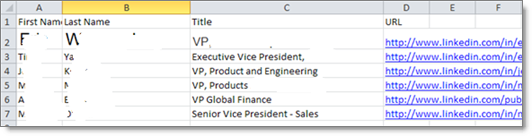
In the first row, each column starts with what I’m putting below. First Name, Last Name, Title, etc.
Then, I saved it as a CSV. That is critical!
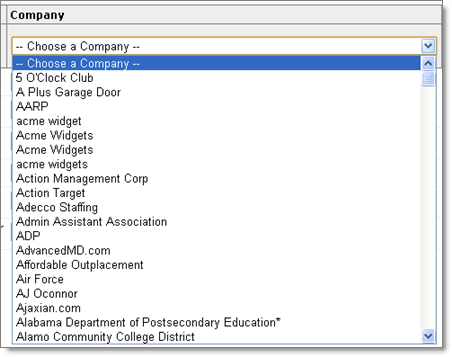
Then, when I imported this very small spreadsheet, in the last column, I chose which company to associate them to from this dropdown:
And then, just to double-check, I went to the company page and they were all there… beautiful!
I could have taken extra time to hand-enter them into JibberJobber one-by-one, but instead I opted to create a simple spreadsheet and enter them all in at once. Easy!
This is a premium feature. $9.95/month