
Yesterday I mentioned I would share a new feature. This is so amazingly simple I shouldn’t get excited about it, but I am. This feature will shave off time that I use the system. Check out this awesomeness (simple, yet awesome!):
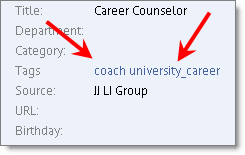
This is a snippet of the Detail Page (the page you are on that shows you a company, or in this case, a person). It’s on the right of the page.
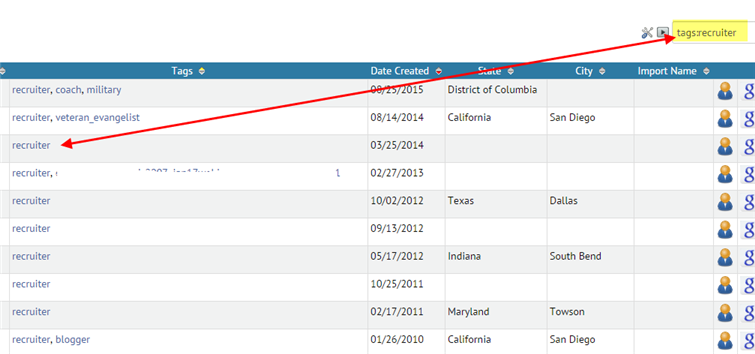
Here’s what we did: we made your tags hyperlinked. When you click on the hyperlink, it takes you to the List Panel view, with a filtered search of just that tag.
Is that awesome, or what???
Yes, it’s awesome. Here’s why:
Let’s say you are poking around JibberJobber and you come upon a Contact or Company that you kind of forgot about.
When you are on that Detail Page, simply click the hyperlinked Tag and it will show you all of the Contacts (or Companies, depending on whether you are on a Contact Detail Page or a Company Detail Page) with that same tag, like this:
Yes, it’s simple, but as I’ve used JibberJobber I’ve often thought how nice it would be to have that as a hyperlink… and now it is 🙂